
Account Deletion
How to delete your Share Rocket account from the app
Follow the steps below to permanently delete your Share Rocket account.
Step 1Open the Share Rocket app
Open the Share Rocket app on your device and sign in to your account if you are not already signed in.
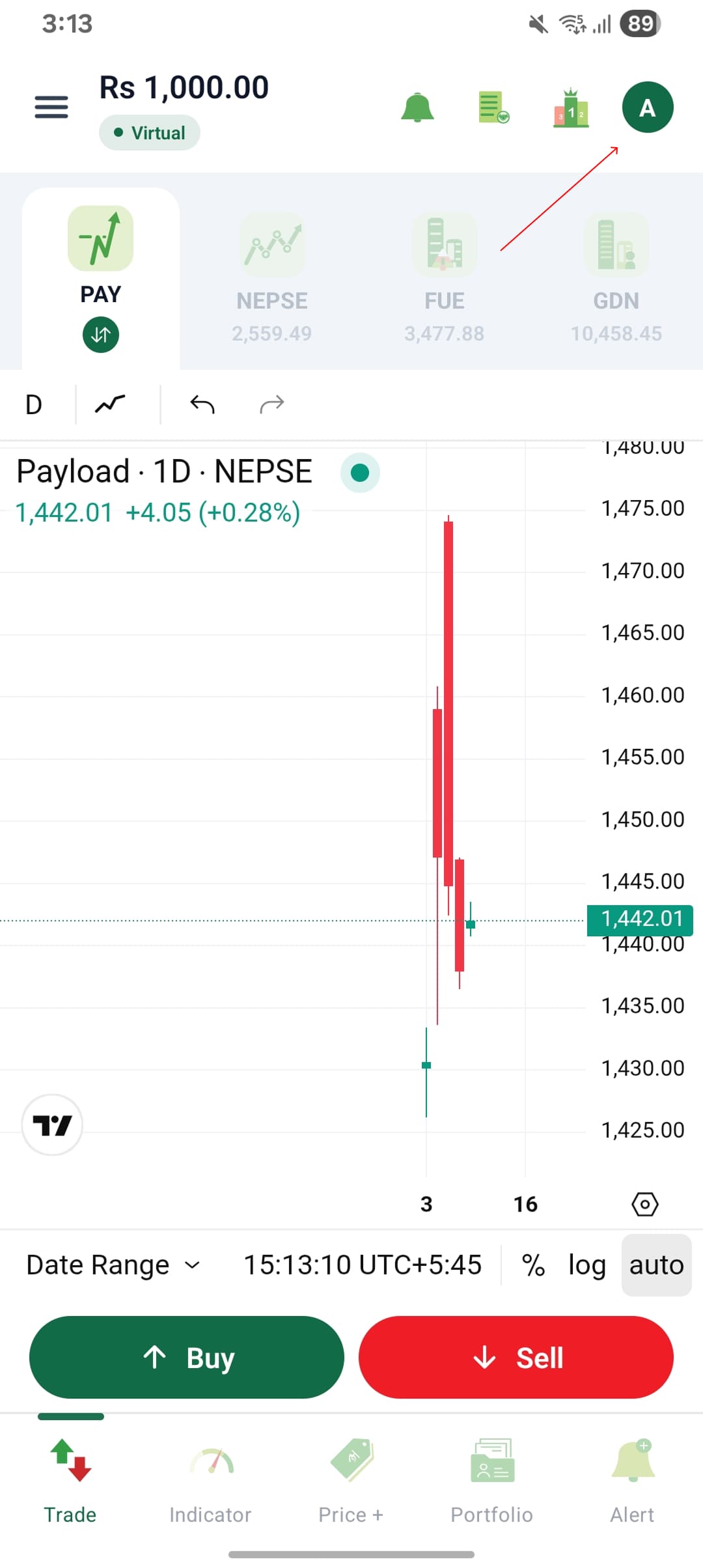
Step 2Open your profile
From the Share Rocket home screen, tap your profile icon located in the top-right corner of the screen.
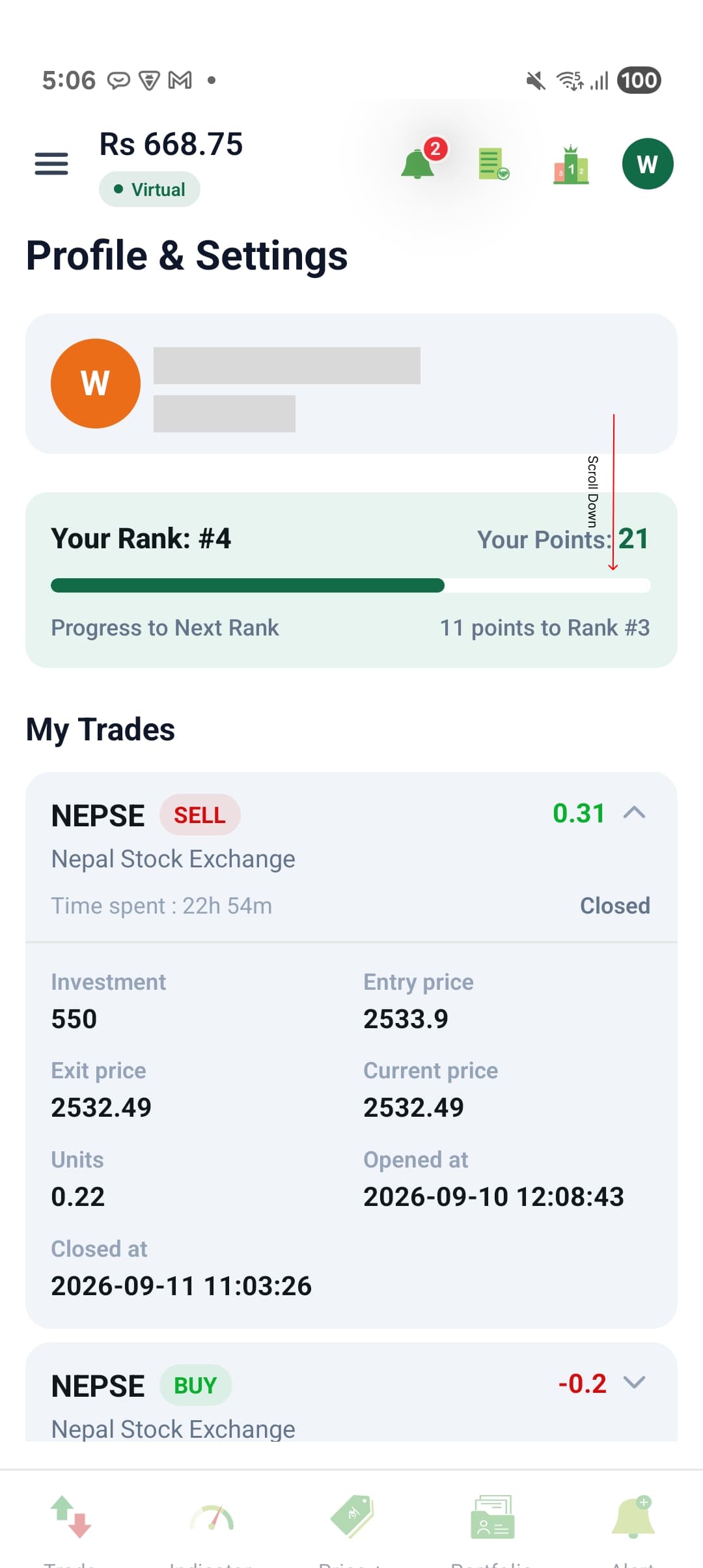
Step 3Open Profile & Settings
Your Profile & Settings section will open. Select the profile/settings option shown beside your account information to access your account settings.
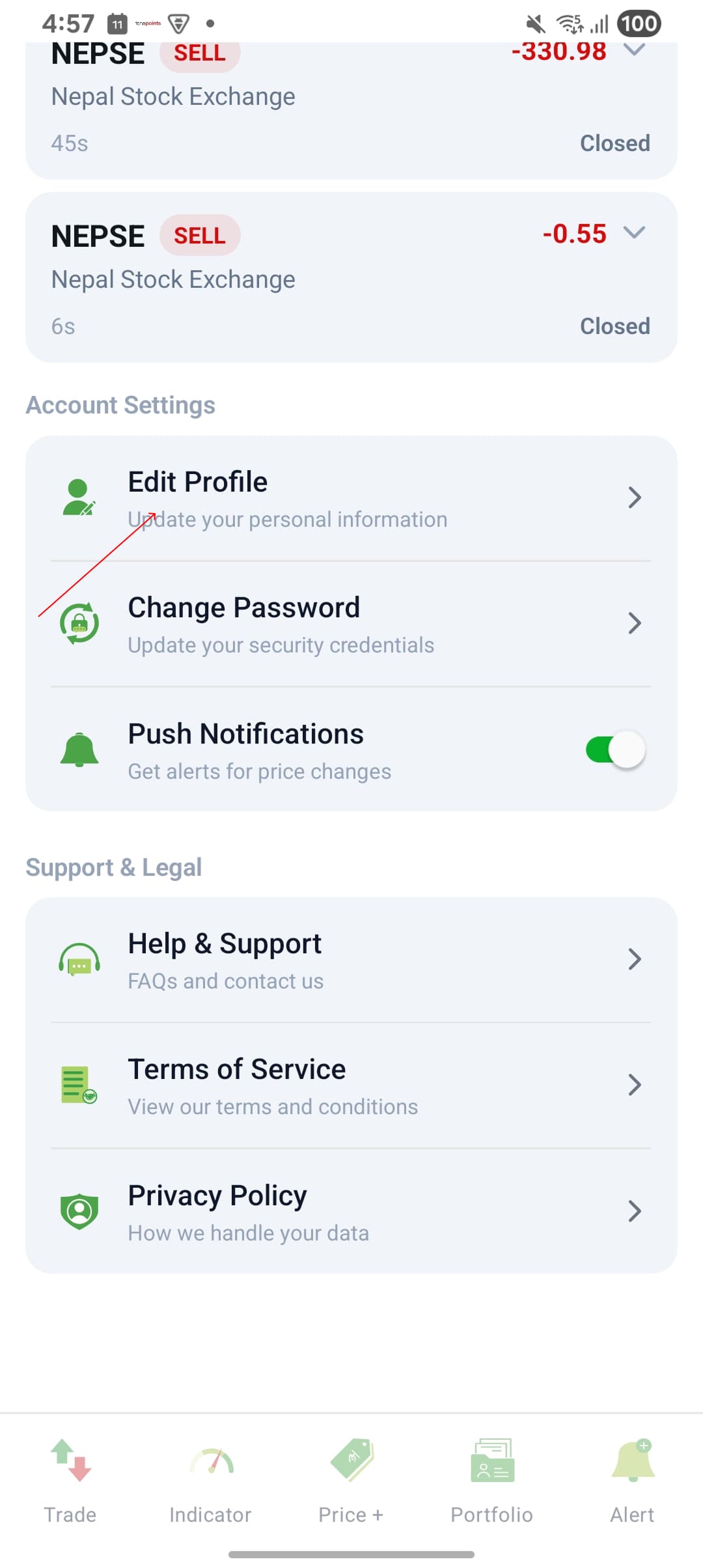
Step 4Select User Profile
From the settings menu, tap User Profile.
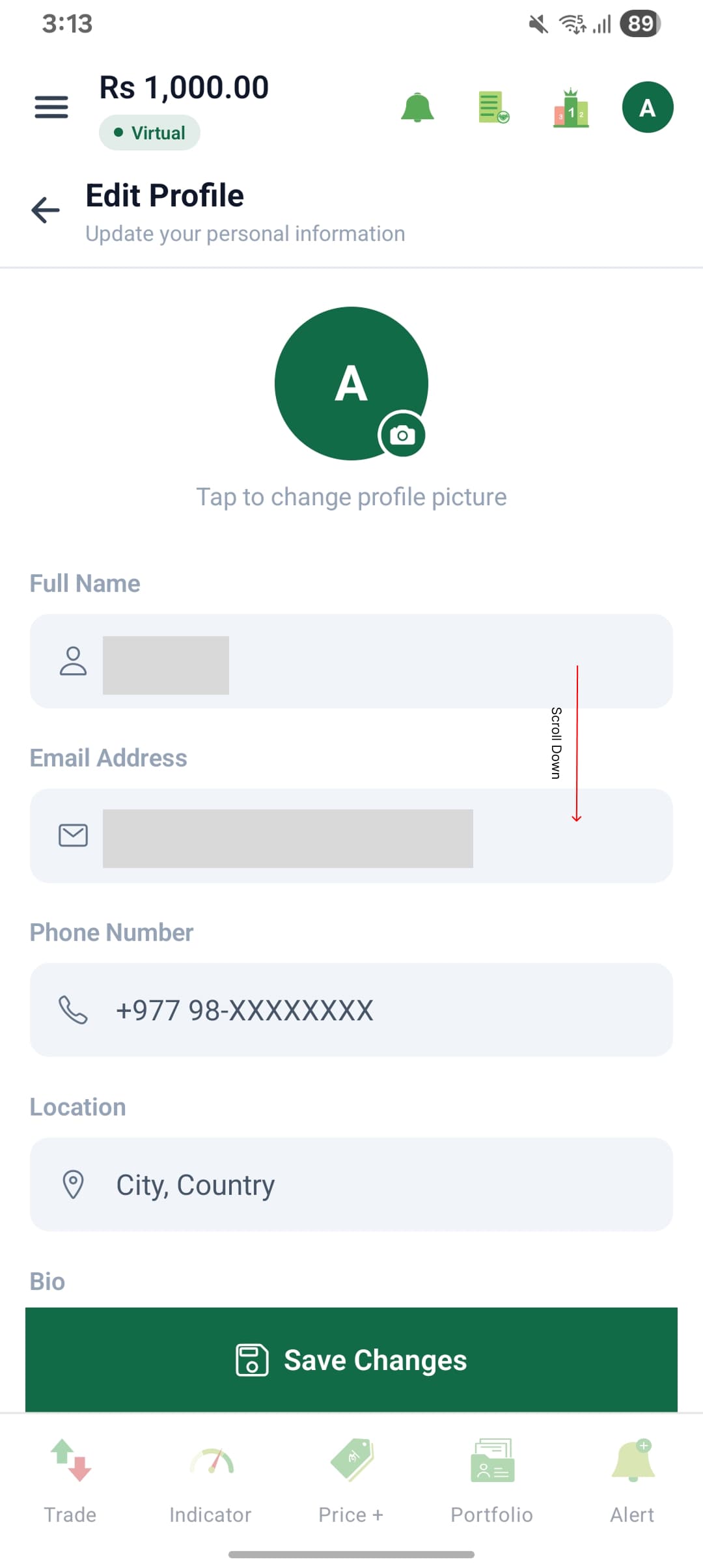
Step 5Scroll down in Edit Profile
The Edit Profile page will open. Scroll down to the bottom of the profile page.
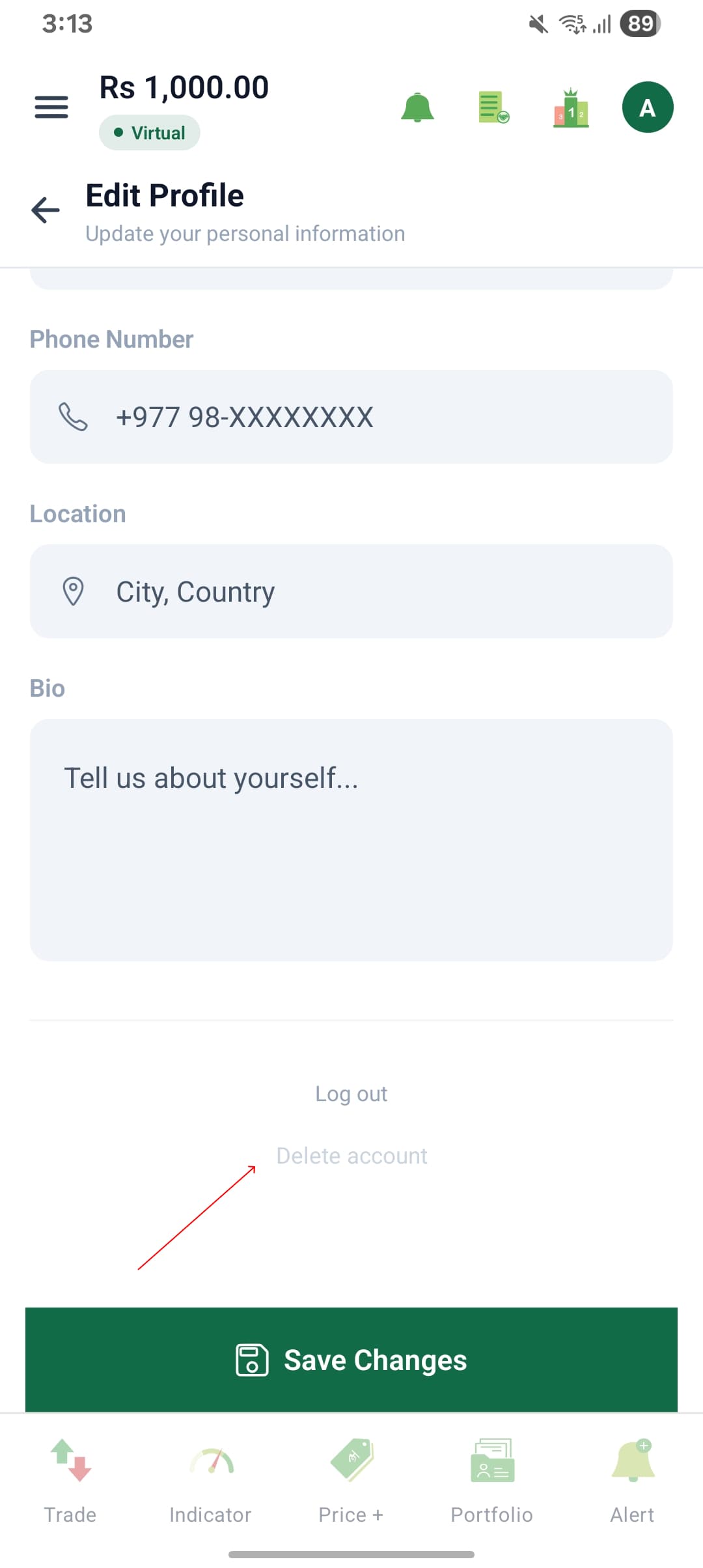
Step 6Select Delete Account
At the bottom of the Edit Profile page, tap Delete Account.
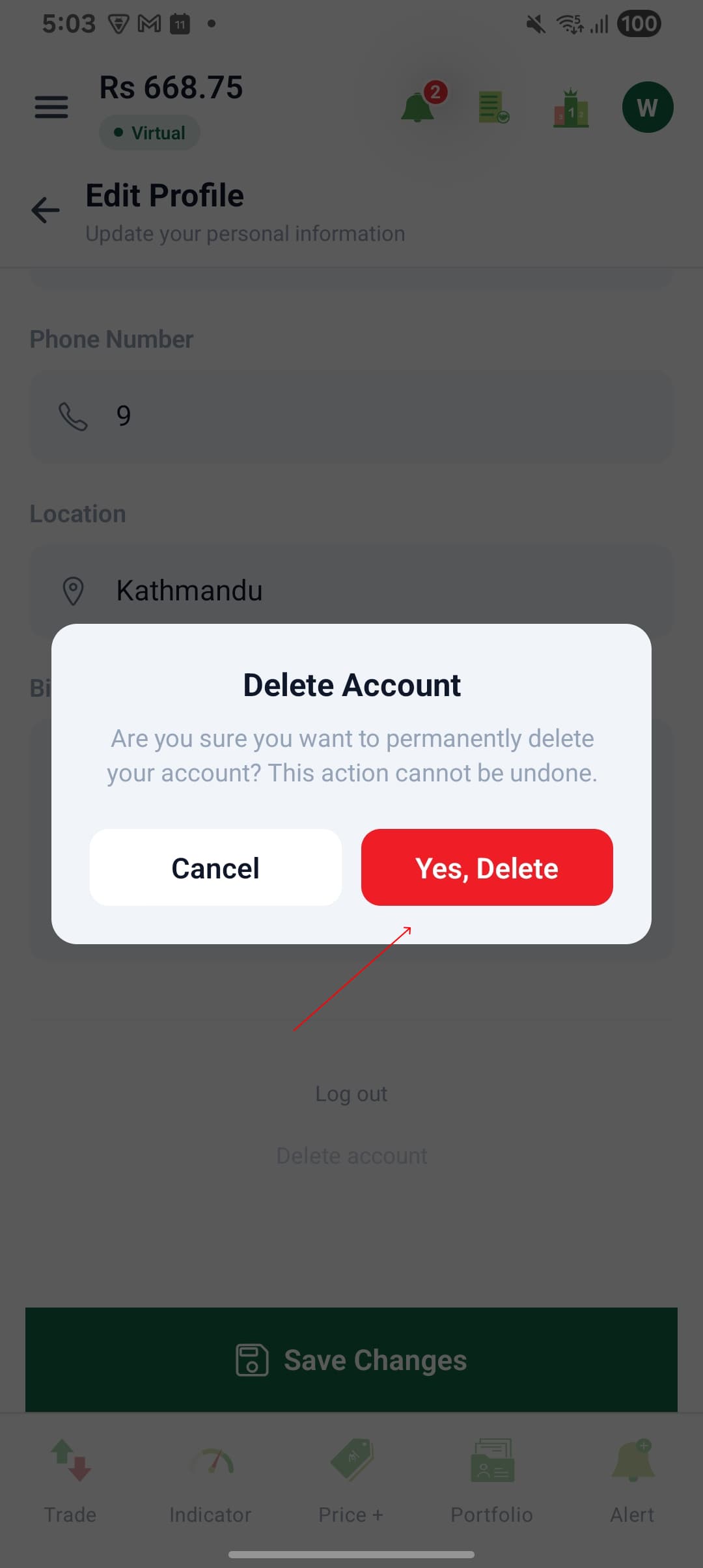
Step 7Confirm account deletion
A confirmation message will appear asking whether you want to delete your account.
Review the message carefully and select the Delete or Yes, Delete option to confirm.
Once confirmed, your Share Rocket account will be permanently deleted and you will no longer be able to access the account.
Request account deletion by email
If you cannot sign in to your account or cannot access the Share Rocket app, you can request account deletion by contacting Share Rocket support.
Email: info@sharerocketpro.com.np
Please send the request from the email address registered with your Share Rocket account and use the following subject:
Share Rocket Account Deletion Request
Include the following information in your email:
- Your full name
- Your registered Share Rocket email address or account identifier
- A clear statement confirming that you want your Share Rocket account permanently deleted
Share Rocket may contact you through your registered contact information to verify account ownership before processing the deletion request.
What data is deleted
When your Share Rocket account is deleted, the account and personal information associated with the account will be deleted in accordance with Share Rocket’s applicable data retention requirements.
This may include:
- Account and profile information
- Registered email address and contact information
- User-specific information associated with the Share Rocket account
- Authentication information associated with the account
Data retention
Certain information may be retained where required for legal, regulatory, security, fraud-prevention, financial, auditing, or compliance purposes.
Any information that must be retained will be handled in accordance with applicable laws and Share Rocket’s privacy and data retention policies and will not be used to continue providing the deleted Share Rocket account.